Membros
Os membros são as pessoas que fazem parte de um workspace no ENSPACE. Eles podem ser atribuídos a um cargos (função), que define suas permissões, e também podem ser organizados em grupos de membros, facilitando a configuração de acesso em massa.
O que um membro pode fazer?
A função de cada membro depende das permissões associadas ao seu papel e/ou grupo. Entre as ações mais comuns estão:
- Acessar e interagir com formulários, tarefas e fluxos.
- Participar de fluxos automáticos com ações definidas para sua função.
- Receber notificações sobre suas tarefas e prazos.
- Extrair relatórios personalizados.
- Visualizar dashboards atualizadas em tempo real.
Como adicionar um membro
- Vá até a tela de Configurações do workspace.
- Acesse a aba Convites de Membros.
- Clique em Convidar Membro.
- Informe o e-mail e a licença da pessoa que será incluída.
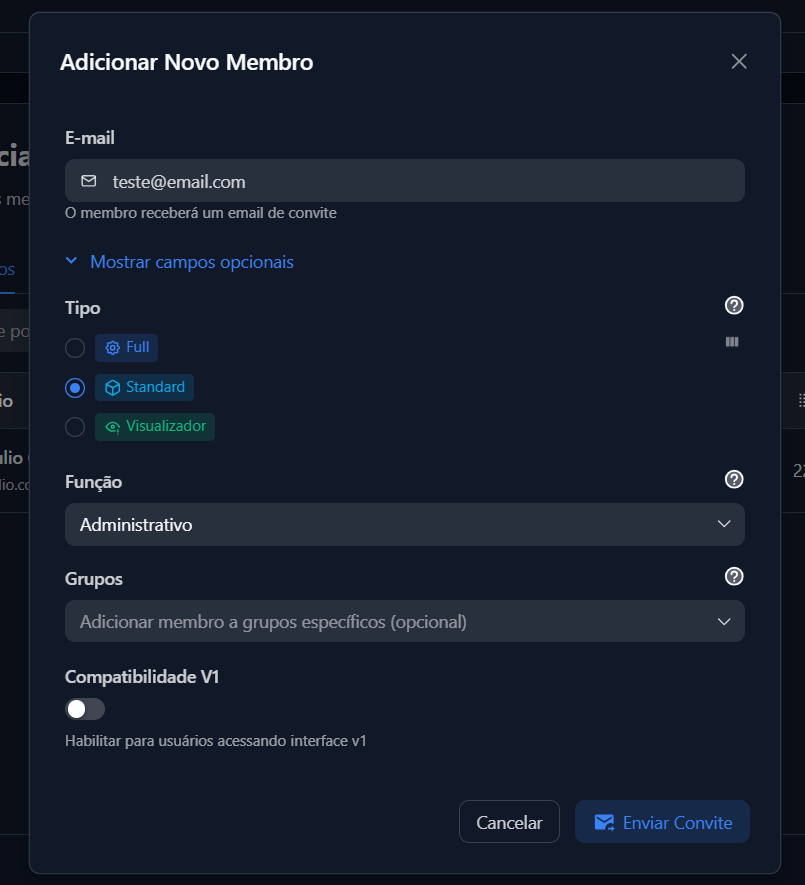
- (Opcional) Escolha a Função (role) que ela terá.
- (Opcional) Atribua o membro a um ou mais grupos.
- (Opcional) Atribua uma chancela fixa a este usuário.
- Confirme e envie o convite.
O membro receberá um convite por e-mail para acessar o workspace.
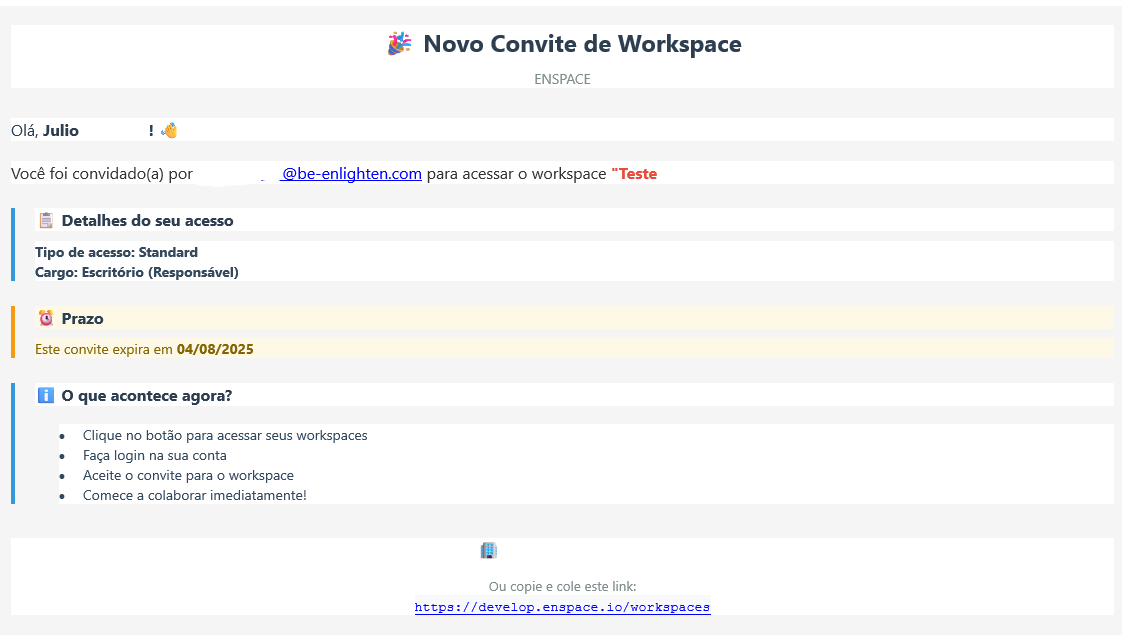
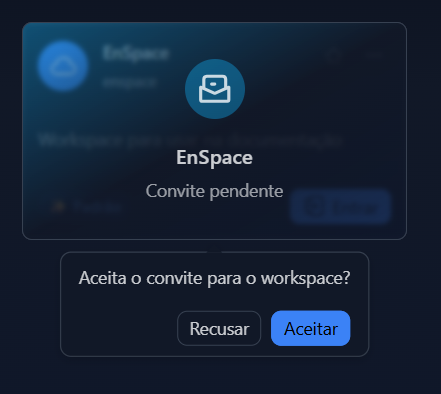
Após entrar no link, na tela inicial do EnSpace, aparecerá o convite do workspace com as opções de aceitar ou recusar.
Remover ou alterar um membro
- Acesse Configurações > Convites de Membros.
- Clique em "Ações" ao lado do esquerdo do nome da pessoa.
- Selecione a opção deletar.
🔁 Dúvidas frequentes
- Um membro pode estar em mais de um grupo?
Sim, ele pode ser atribuído a múltiplos grupos.
- Grupos substituem papéis?
Não. Papéis controlam permissões diretamente. Grupos são usados para organização e configurações em massa.