Nota: Para outros significados, veja Workspace (desambiguação).
Sistema de Workspaces do ENSPACE
No ENSPACE, os Workspaces são ambientes independentes que permitem organizar, personalizar e gerenciar diferentes áreas ou unidades de sua empresa de forma eficiente e segura.
Cada Workspace pode representar uma área específica, um cliente, um projeto ou até mesmo uma filial, proporcionando flexibilidade e controle total sobre as operações.
O que é um Workspace?
Um Workspace é um espaço de trabalho isolado onde você pode:
- Organizar dados: Crie categorias e itens personalizados para cada necessidade.
- Gerenciar usuários: Defina perfis e permissões específicas para cada colaborador.
- Automatizar processos: Utilize fluxos de trabalho (workflows) para automatizar tarefas e aprovações.
- Centralizar informações: Armazene documentos, registros e comunicações em um único local.
Cada Workspace possui suas próprias configurações, garantindo que as operações de uma área ou unidade não interfiram nas demais.
Tela Inicial dos Workspaces
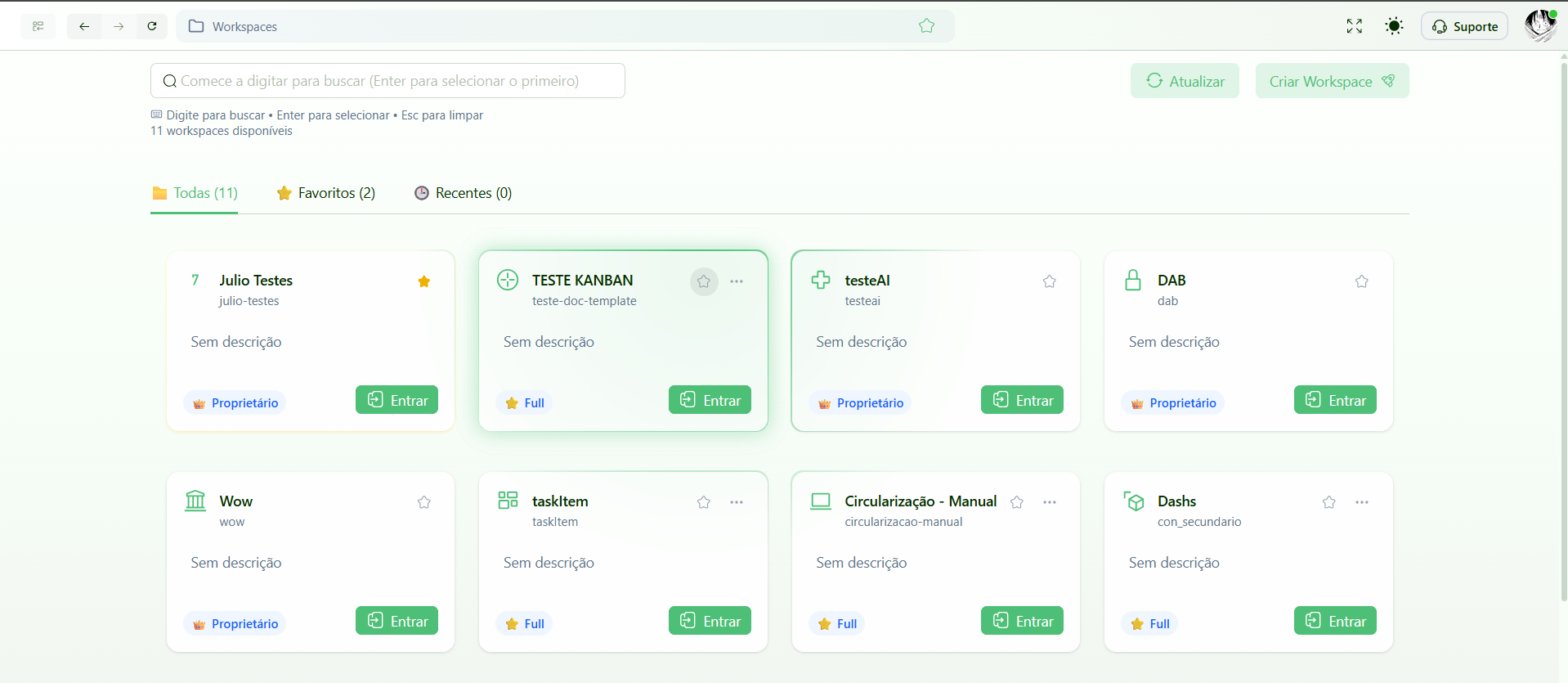
Ao acessar o ENSPACE, você será direcionado à Tela Inicial de Workspaces, que oferece uma visão geral de todos os ambientes aos quais você tem acesso. Nela, cada Workspace é exibido como um card que mostra informações essenciais e ações rápidas.
Cards de Workspace
Cada card representa um Workspace e permite:
- Visualizar o Workspace: Clique no card para acessar o ambiente.
- Ver sua role: Identifique rapidamente qual é sua função dentro do Workspace.
- Favoritar: Marque o Workspace como favorito para encontrá-lo facilmente na aba dedicada.
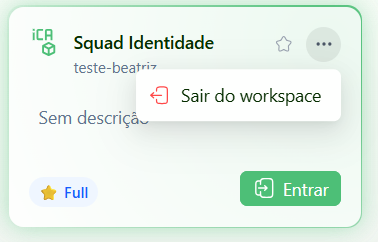
- Ações rápidas: Dependendo da sua permissão, você pode sair do Workspace se não for o proprietário.
Aba de Favoritos
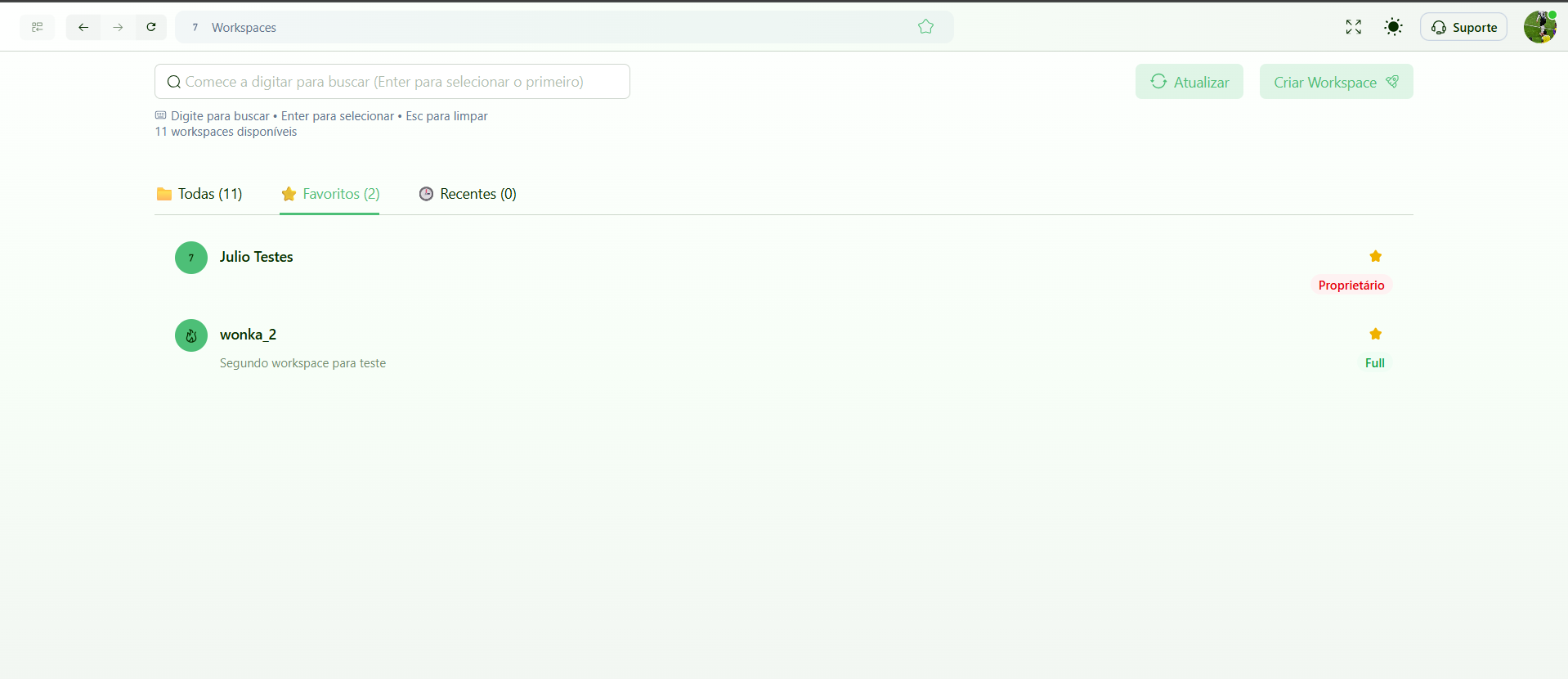
Os Workspaces que você marcou como favoritos aparecem na aba de Favoritos, facilitando o acesso aos ambientes mais importantes para o seu dia a dia.
Barra de Pesquisa
No topo da tela, há uma barra de pesquisa que permite localizar Workspaces rapidamente pelo nome, agilizando a navegação entre múltiplos ambientes.
Sair de um Workspace
Se você não é o proprietário de um Workspace, é possível sair do ambiente diretamente pelo card correspondente. Isso remove seu acesso, mas não afeta os dados ou outros usuários do Workspace.
Controle de Acesso e Permissões
Dentro de cada Workspace, é possível:
- Definir perfis de usuários: Crie cargos e atribua permissões específicas para cada função.
- Gerenciar acessos: Controle quem pode visualizar, editar ou excluir informações dentro do Workspace.
- Isolar dados: Garanta que informações sensíveis sejam acessíveis apenas para os usuários autorizados.
Funcionalidades por Workspace
Cada Workspace no ENSPACE pode oferecer uma série de funcionalidades para otimizar a gestão e operação. Por exemplo:
- Gestão de contratos: Crie templates, adicione marcas d'água personalizadas e realize assinaturas digitais automaticamente.
- Automatização de processos: Elimine tarefas repetitivas criando workflows com tarefas e atividades controladas.
- Atendimento multicanal: Integre chatbots, Teams, Slack e WhatsApp em um único local.
- Gestão de tarefas: Determine responsabilidades, aplique vencimentos e envie alertas e notificações programadas.
- Integração de e-mail: Centralize todas as caixas de entrada em um só lugar para facilitar o acompanhamento das mensagens recebidas.
- Controle de dados: Crie formulários inteligentes e interativos com campos variados, receba informações e defina regras para o processamento.
- Relatórios personalizados: Gere relatórios detalhados com base nos dados específicos de cada Workspace.