User Panel
Profile
Edit your name, photo, language, and visual theme of your ENSPACE account.
updated
Customize your information and preferences
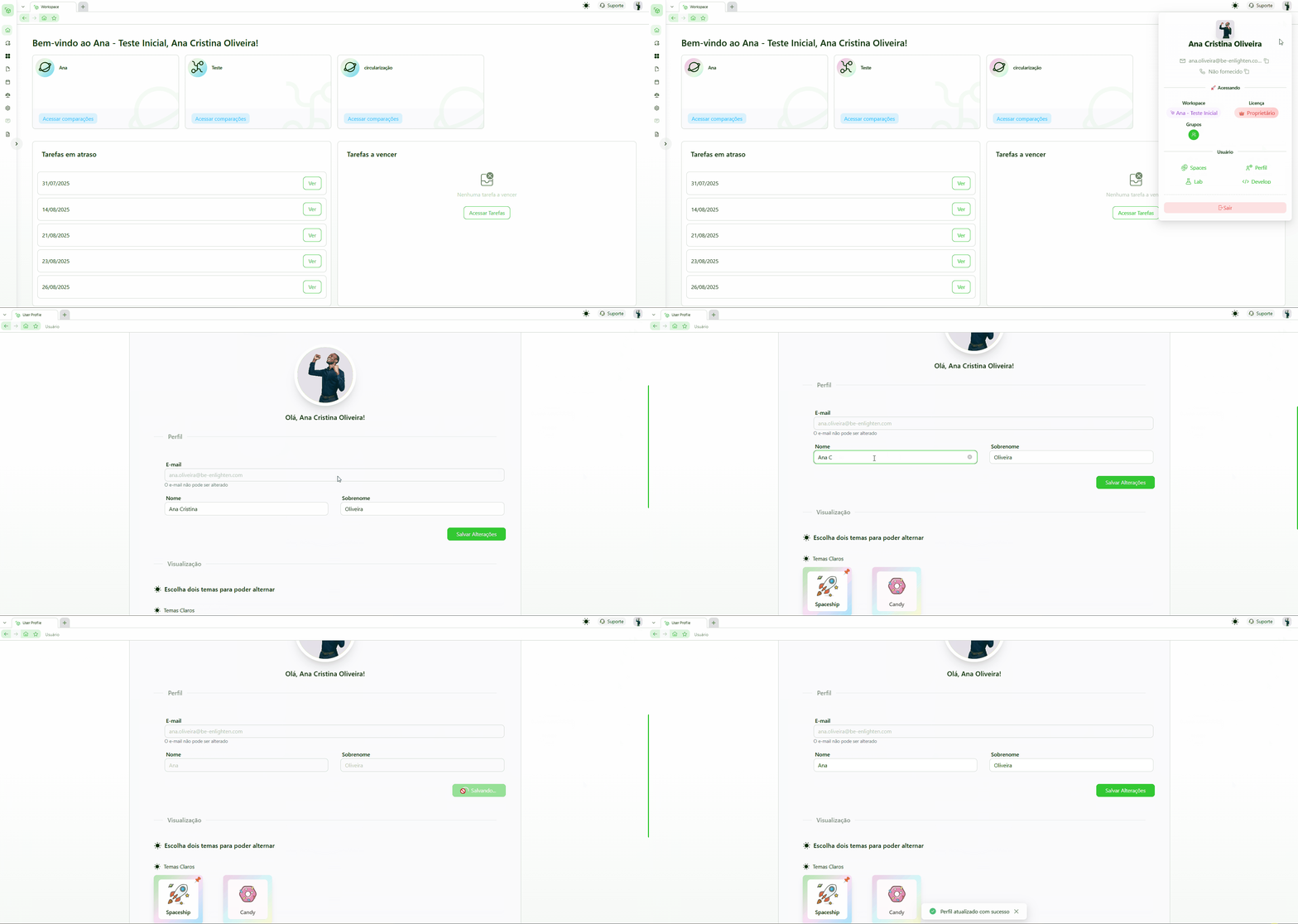
In the Profile tab, you can edit your personal data and visual preferences for your account. Changes made here apply to all workspaces you are part of.
To access it, click the icon with your initials (or your photo) in the top right corner of the screen and select "User Settings". The Profile tab will already be selected.
Editable information
- Profile photo — the image that identifies you on the platform. Until it is defined, ENSPACE displays the initials of your name.
- First and last name — how you will be identified in workflows, records, and member lists.
- Language — defines the ENSPACE navigation language.
- Visual theme — you can select two themes to switch between them at any time. The available options are:
- Light themes — Classic, Spaceship, Candy.
- Dark themes — Ocean Night, Gotham, Synthwave 84, Camp Sky, Cloud Moon.
Your login email cannot be changed through this screen. If you need to change it, contact support at suporte@enspace.io.
How to edit
Access the User Panel
Click the icon with your initials (or your photo) in the top right corner and select "User Settings".
Edit the desired information
Modify the fields you need in the Profile tab.
Save the changes
Click "Save" to apply the changes.