v2.10.0 is live


RELEASE NOTES
1. New features
Audit Log: new log screen experience
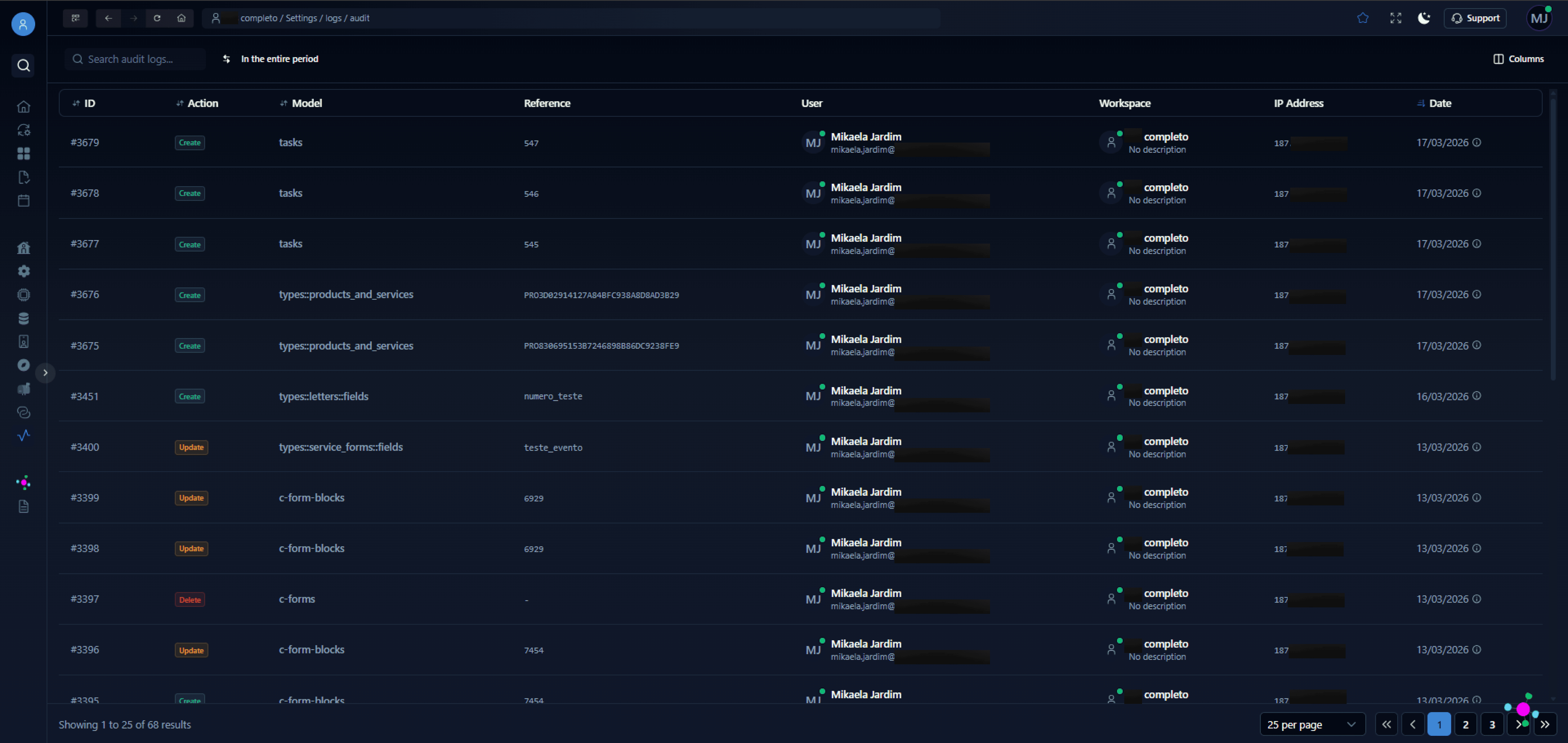
The audit log screen arrives in ENSPACE. Accessible from the platform menu, the new page features an interactive table with search, period filtering, visible column control, and pagination.
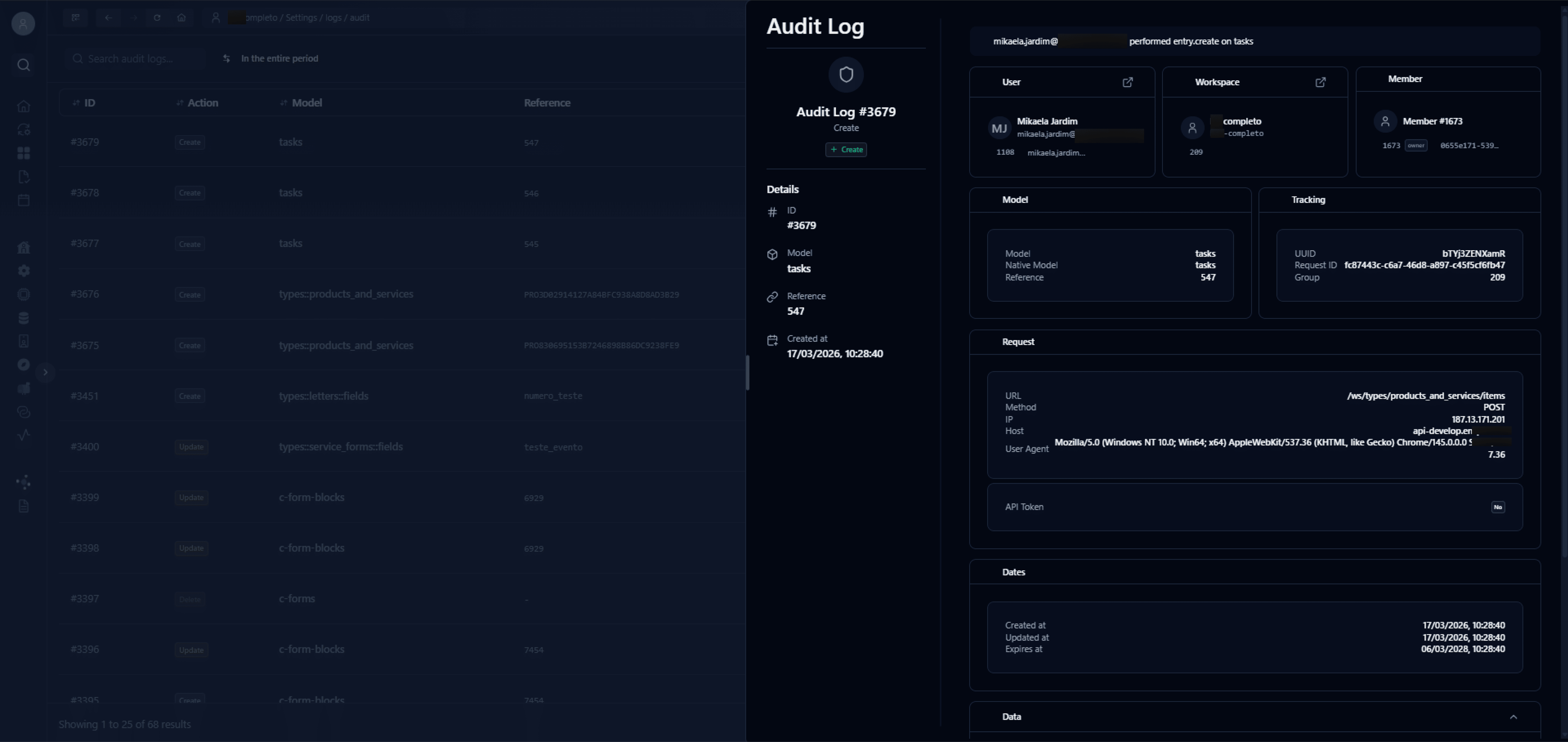
Clicking on any record opens a side panel with the full log details, organized in contextual cards: user, workspace, member, model, tracking, request data, API Token status, dates, and the complete operation payload. The panel also includes direct shortcuts to related workspace pages, such as the user profile and workspace settings, making navigation easier during investigation.
See how the new log screen looks:
Audit logs table
Audit log item view
Want to learn more about audit logs? See the documentation.
Customizable labels per form
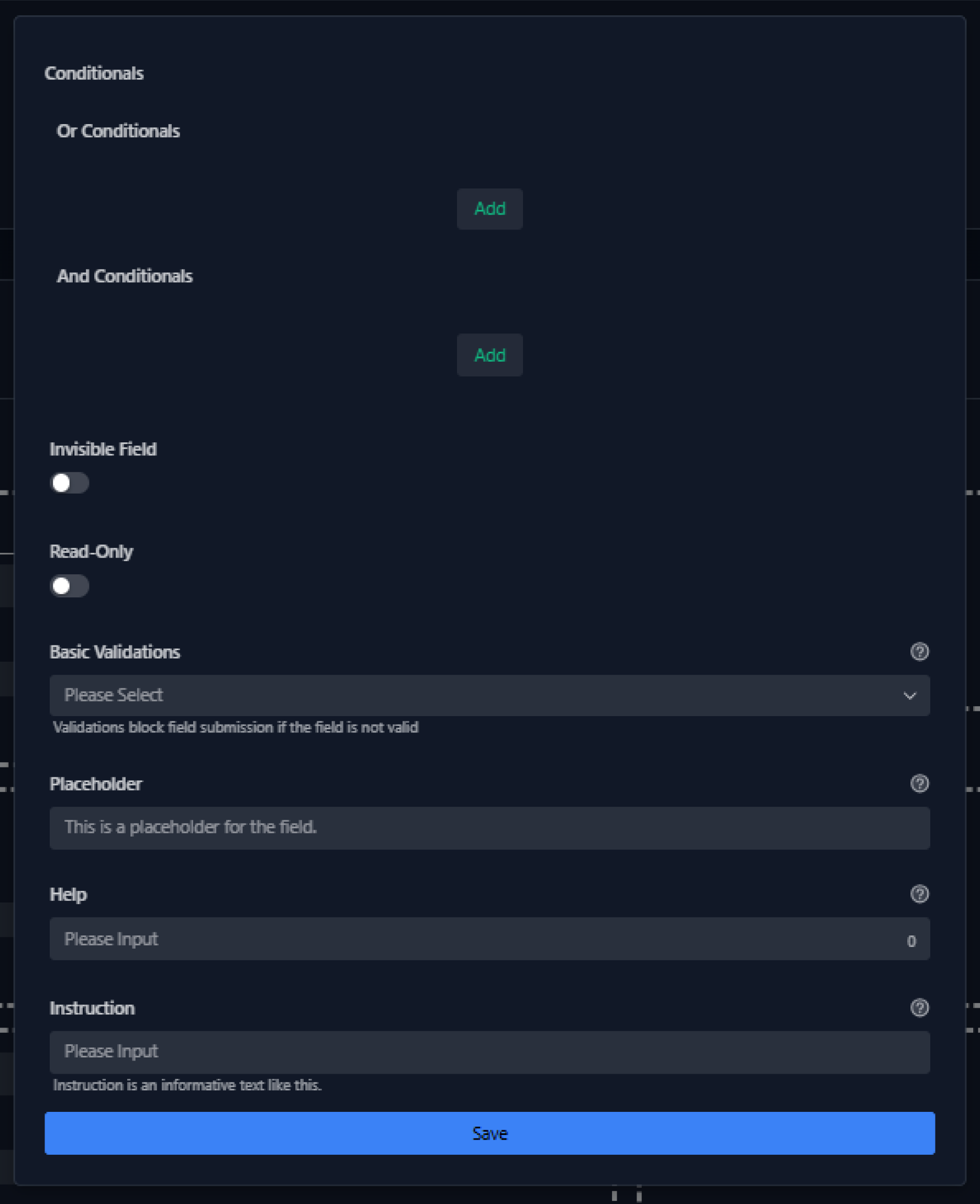
The form builder already allowed overriding help texts and some field validations within a specific form, without changing the original configuration in the category, using block settings. However, the label (the visible field name) remained fixed, always inherited from the field configuration.
This created a limitation: when the same field was used in two forms targeting different audiences, there was no way to adapt the displayed name for each context. The workaround was to create an identical field just to change the label, which caused rework and significant data modeling errors.
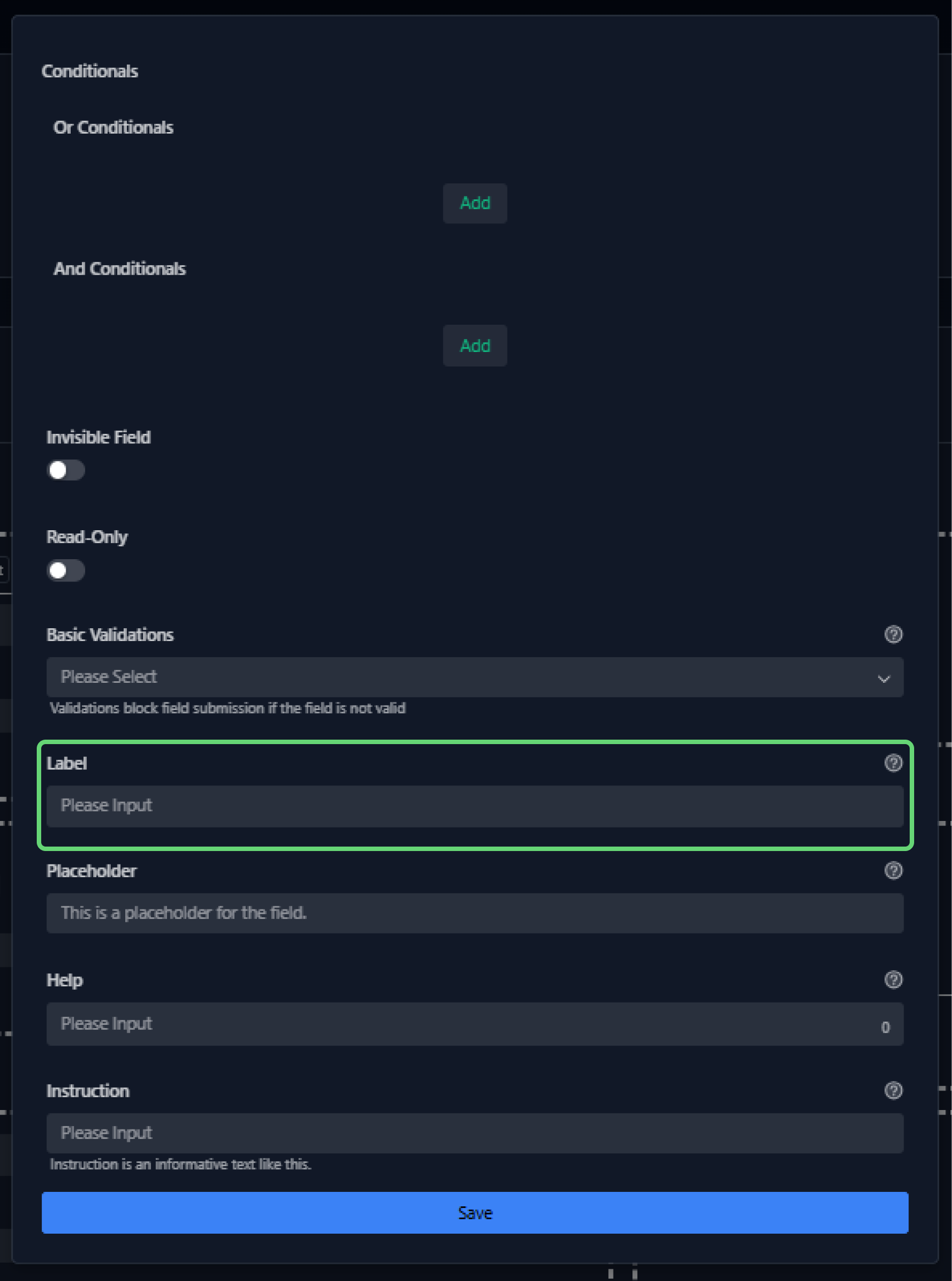
With this release, block settings now include the ability to override the label as well. The original field remains unchanged in the category, and each form can display the label that best fits its audience or use case.
See how the change looks in the form builder:
Before (without the new feature)
After (with the new feature)
Want to learn how to configure forms? See the documentation.
2. Improvements
Report builder redesign
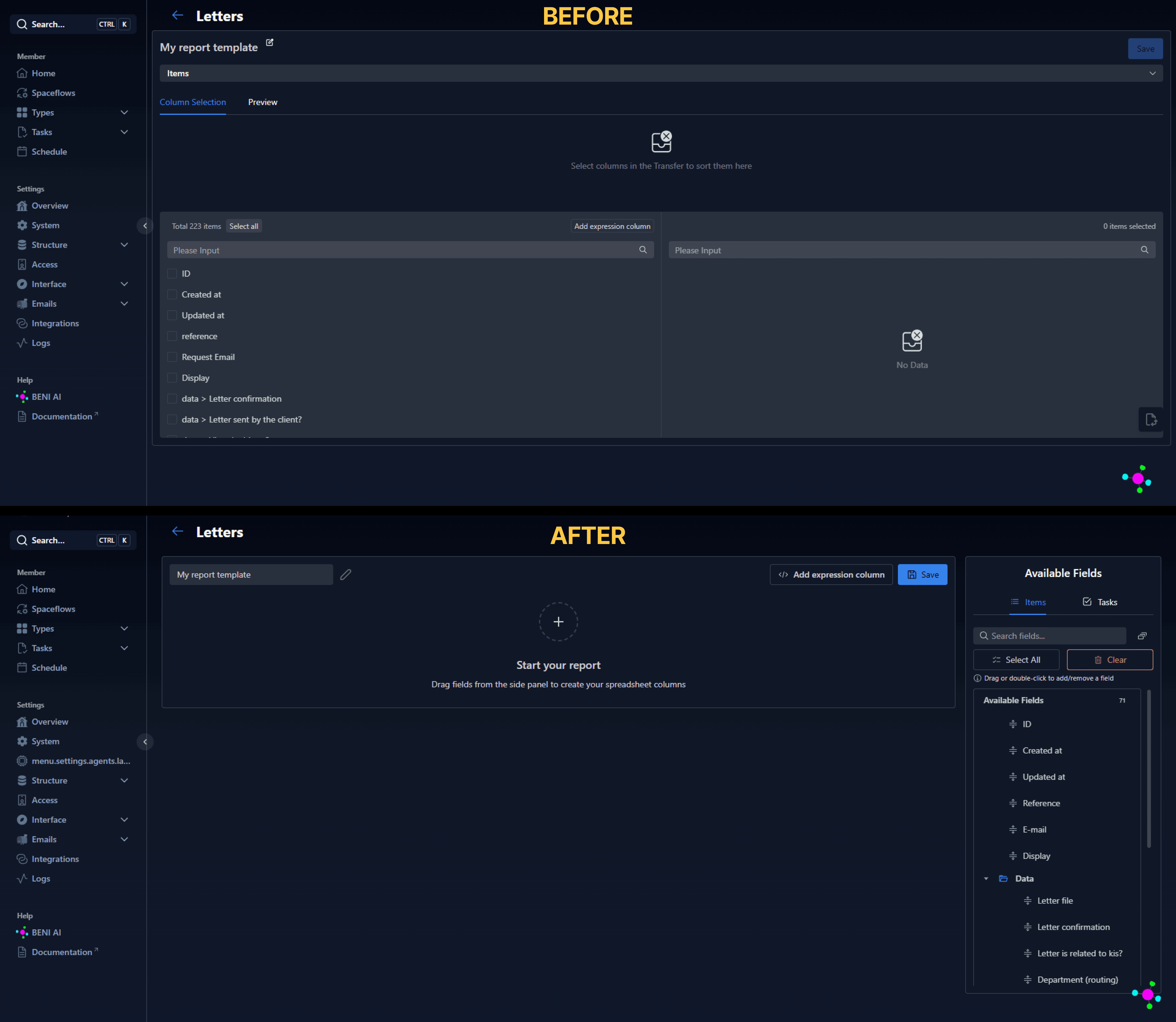
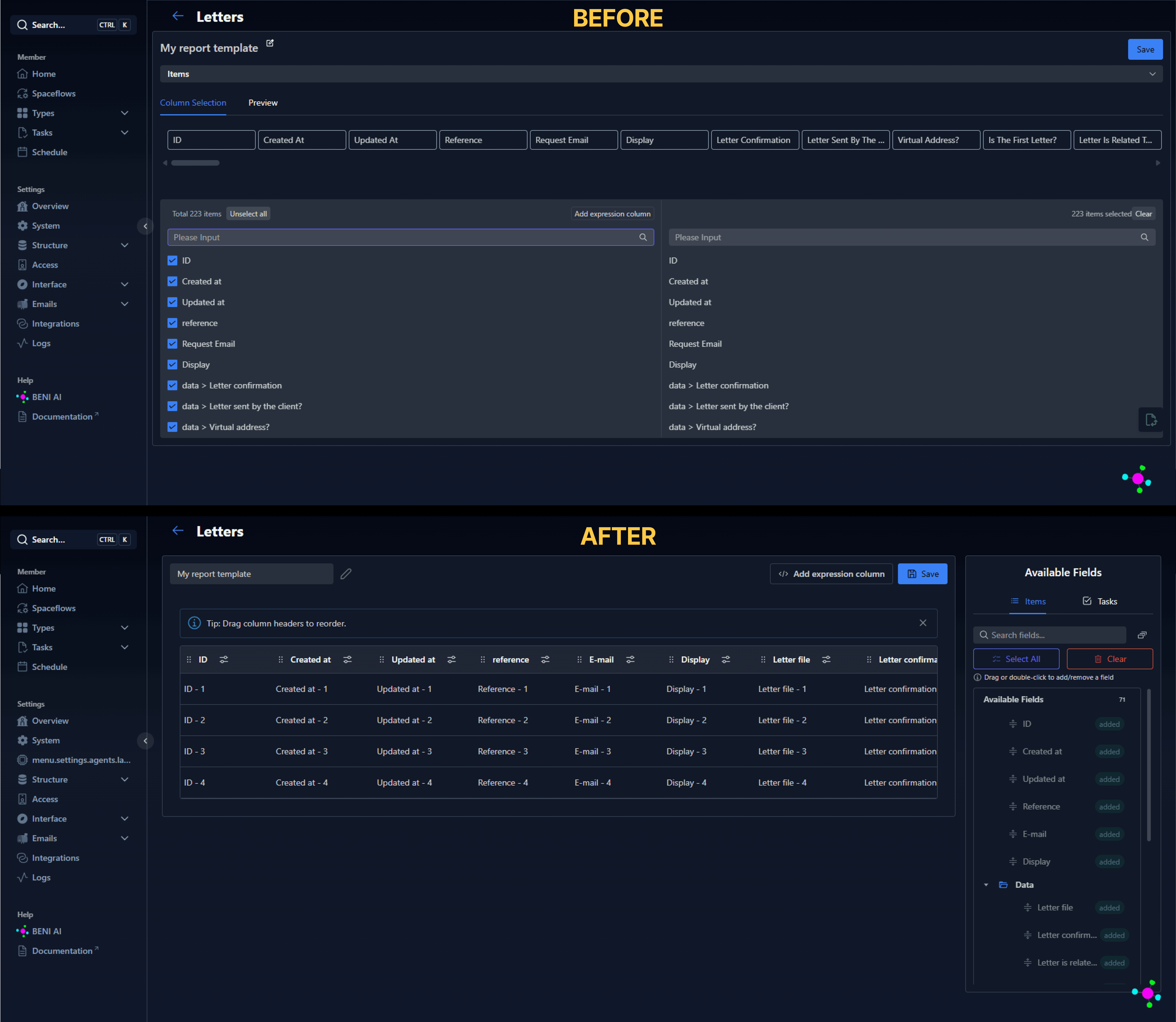
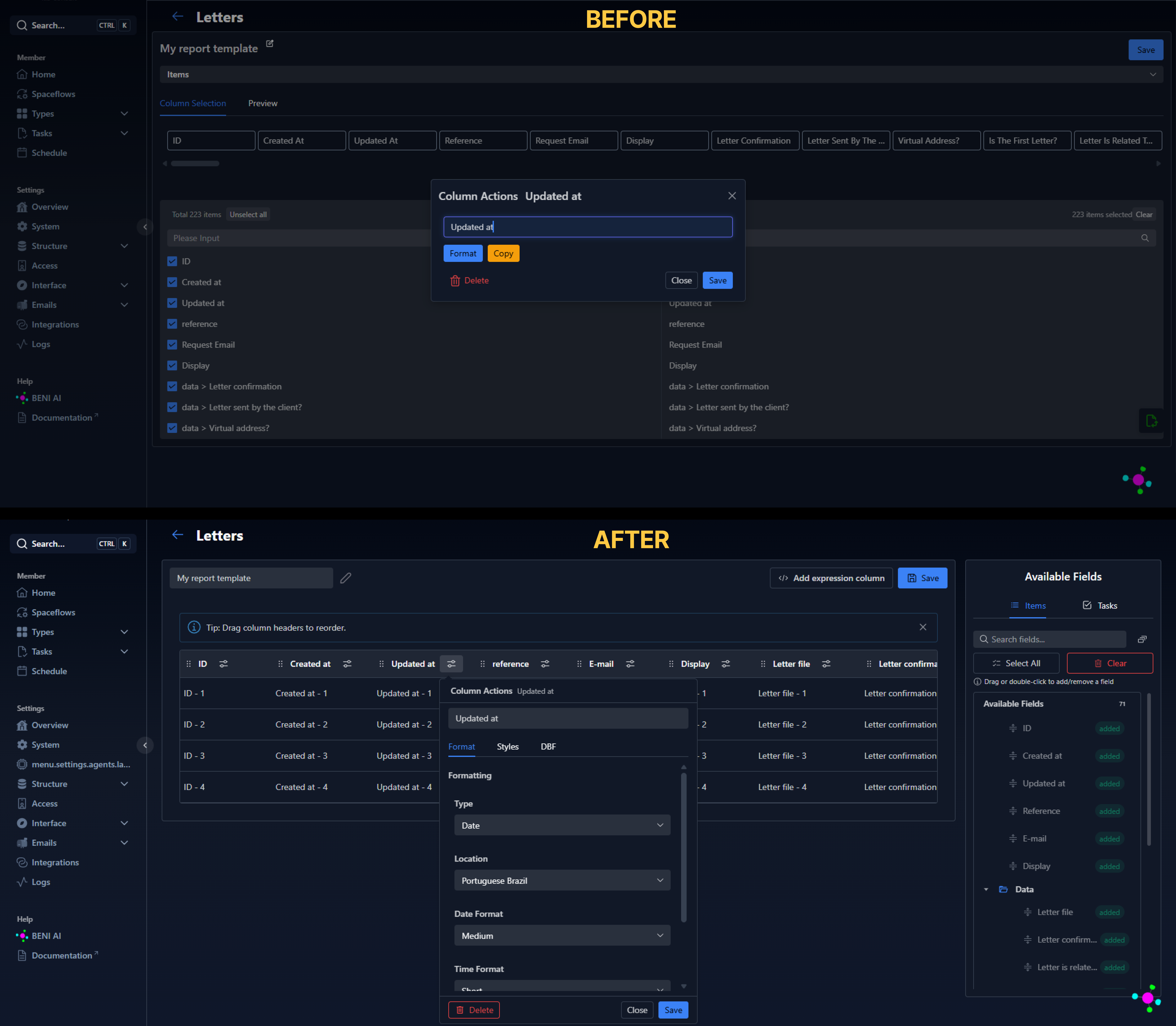
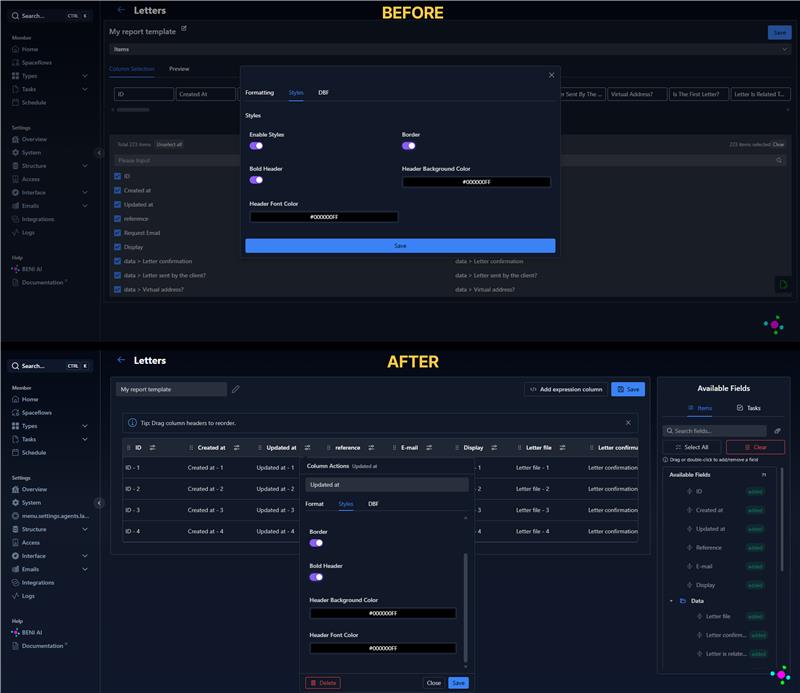
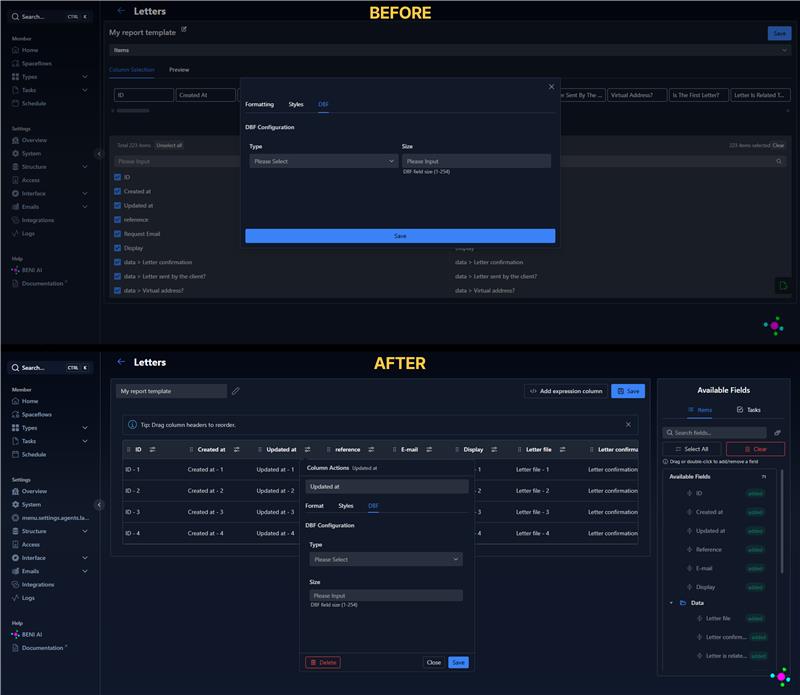
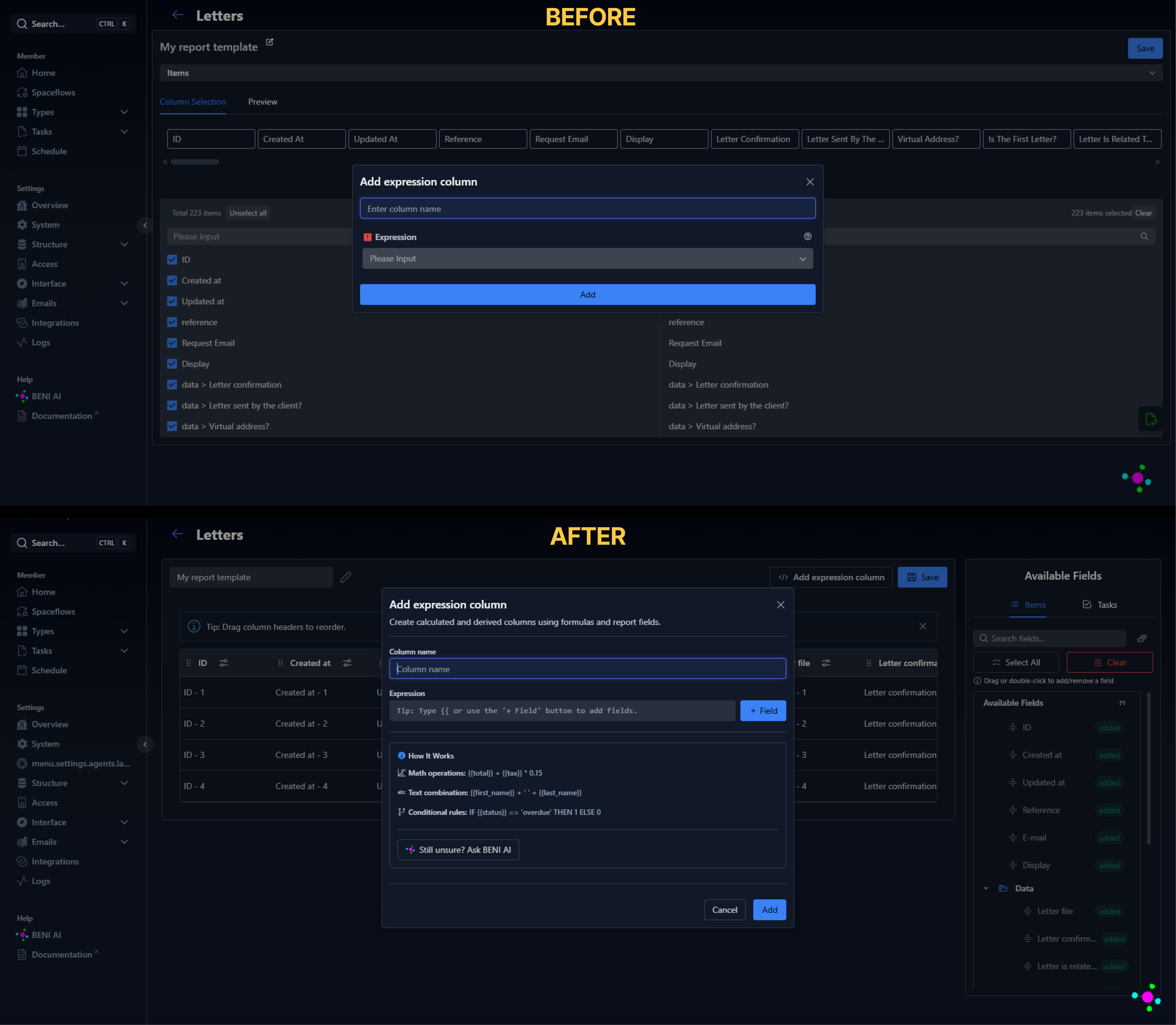
The report builder received an experience redesign. The previous screen was considered difficult to use, visually unintuitive, and confusing, especially for users who needed to add fields, create custom columns, or configure formatting.
The new version features a cleaner and more organized interface, with clearer configuration flows and a visual hierarchy that makes it easier to understand each step of the report building process.
See how the change looks in the report builder:
Initial state (empty)
All fields selected
Editing a column
Column actions/formatting:
Formatting/styles:
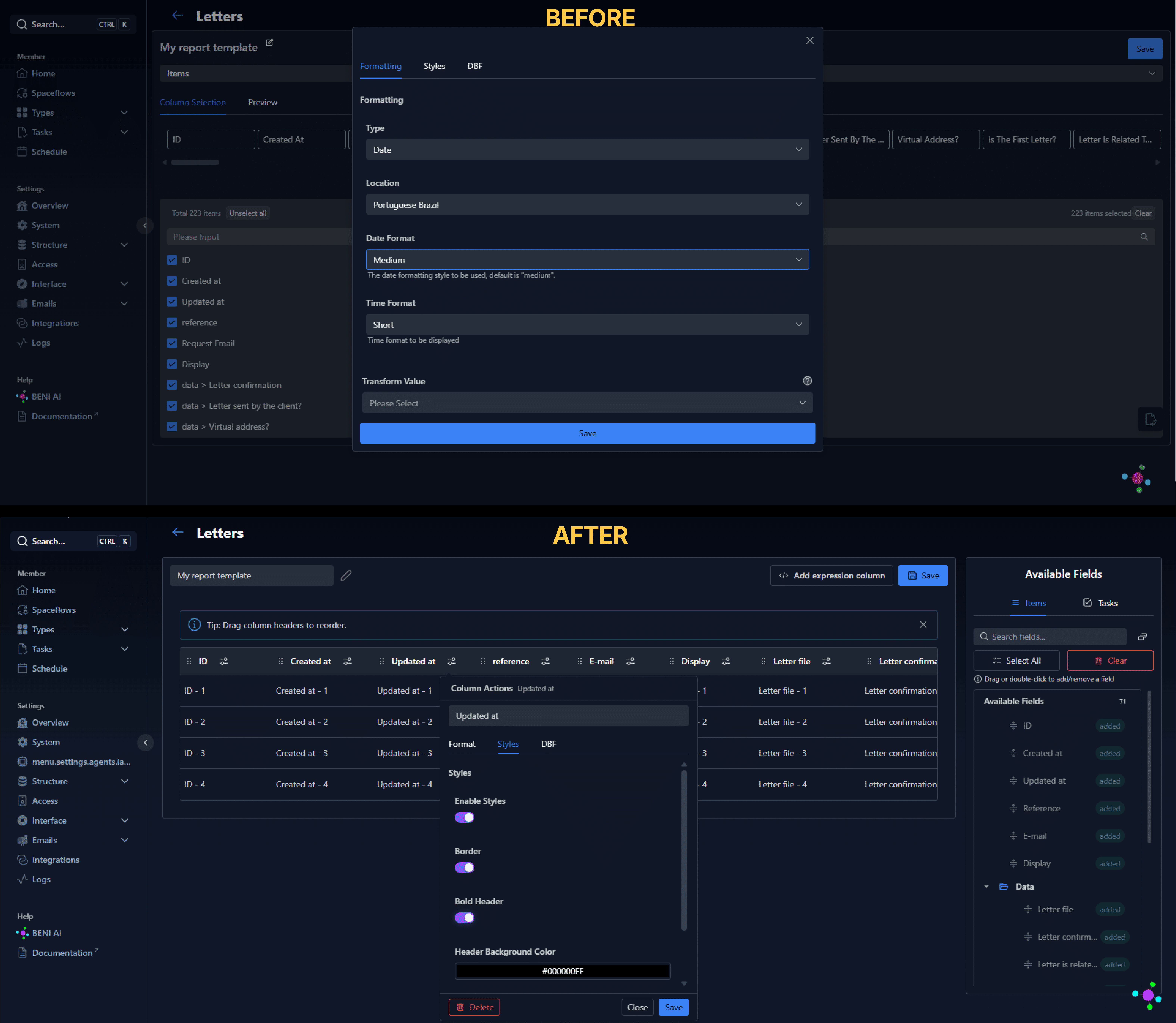
Styles:
DFB:
Adding an expression column
Want to learn how to create and configure reports? See the documentation.
Anti-loop handling for field events
In the field events feature, certain event combinations could generate loops — cycles where one event triggers another that, in turn, re-triggers the first, creating an infinite chain. This happened in scenarios such as:
- The "Lawyers" field was configured to edit itself when edited;
- The "Lawyers" field was configured to edit the "Area" field which, when edited, would edit the "Lawyers" field again.
In practice, this could cause major freezes or data inconsistency in the field, without the user understanding what had happened.
With this improvement, the system now has protections on two layers:
- At configuration time: when the "on edit" trigger and the "edit fields" action are selected simultaneously, the event editor warns the configurator that if the field triggering the event is also the field being edited, the event will be disregarded to prevent loops.
- At runtime: even if a combination is not detected during configuration, the system enforces an execution limit per cycle, automatically stopping any chain that exceeds this limit and preventing freezes or inconsistencies.
With this, ENSPACE delivers greater stability for form automations, reducing the risk of inadequate behavior in more complex configurations.
Want to learn how to configure field events? See the documentation.
Spaceflow: route node enhancements
The Spaceflow route node is responsible for directing a flow's execution through different paths based on conditions defined by the configurator. Two issues were affecting its behavior:
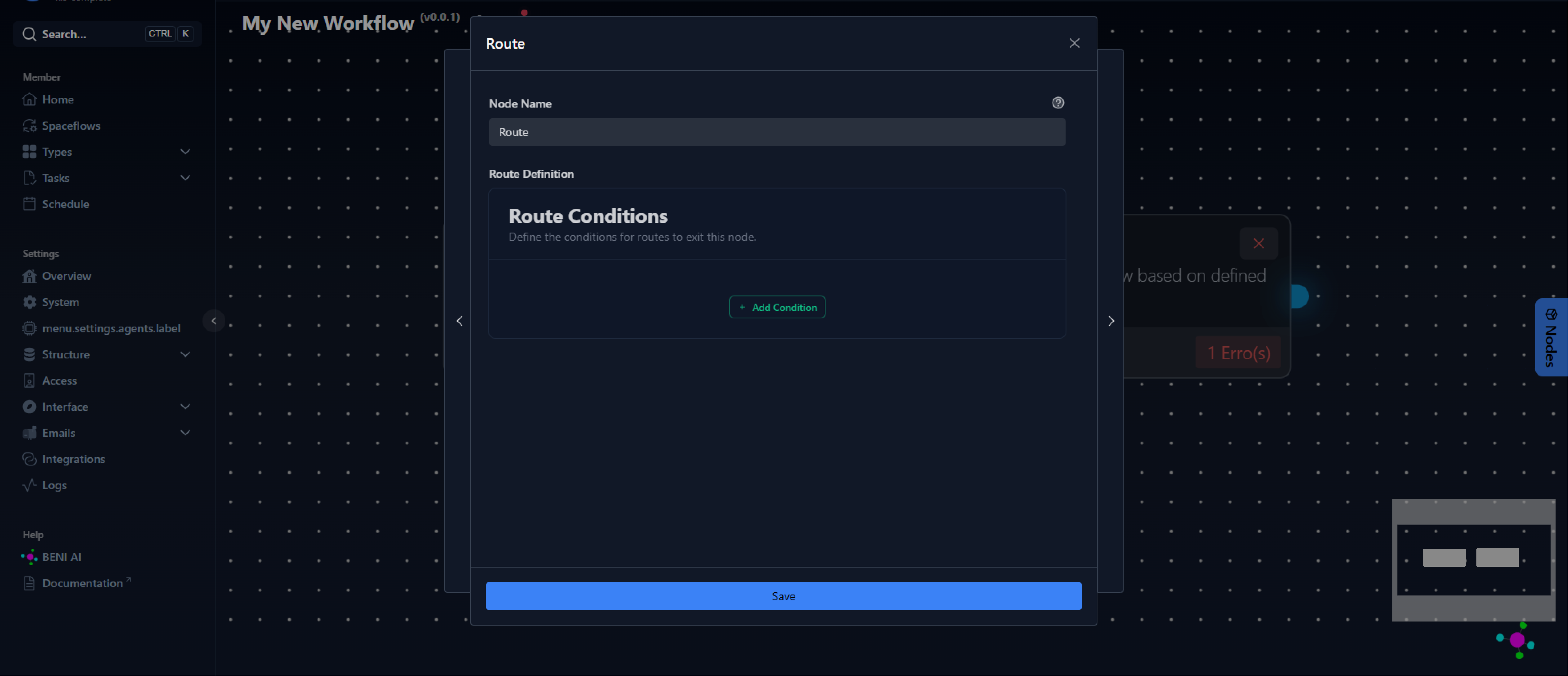
The first was a conditional limitation: each route accepted only a single linear condition, when it should support a set of combined conditions. This forced the configurator to create multiple routes or work around the limitation with parallel structures, making the flow more complex than necessary.
The second was the missing name field on routes. Originally, each route had a naming field whose text appeared on the corresponding line in the flow, making it easier to read and organize. This field had stopped working, and routes were displayed without visual identification.
Both issues have been fixed: the route node now accepts sets of conditionals per route, and the name field works again, displaying the configured label directly on the flow line.
See how the change looks in the route node:
Before the enhancement:

After the enhancement
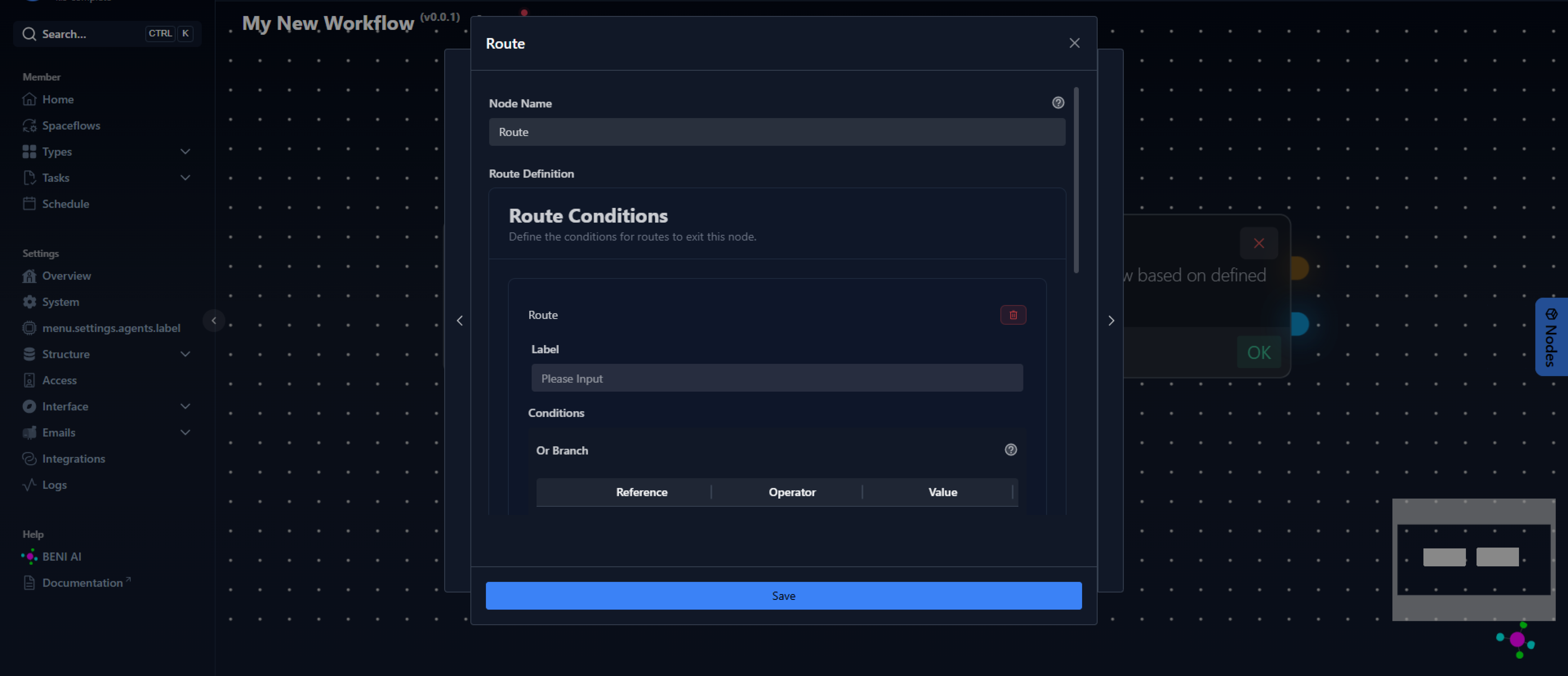
Want to learn more about the Route Node? See the documentation.
3. Bug fixes
Scheduled tasks and periodic notifications
The mechanism responsible for running scheduled and periodic tasks on the platform could no longer handle ENSPACE's execution volume, causing failures on three fronts:
- Automatic task deadline for Workflow's notifications stopped being sent.
- Periodic notifications configured by the user stopped working.
- Spaceflows with a Timer trigger stopped running.
The fix replaces the previous mechanism with an internal scheduler, more robust and prepared for the platform's current volume. With this, all periodic and scheduled executions are back to working normally.
Want to learn more about periodic notifications? See the documentation.
Repeater with fixed or dynamic row count: deletion blocked in dynamic mode
In the previous update, the repeater began supporting a predefined number of rows in two modes: fixed (static count) and dynamic (count derived from another field). In fixed mode, the behavior was consistent and the end user could neither add nor remove rows.
However, in dynamic mode, it was still possible to manually delete rows. This created an inconsistency: if the controller field indicated there should be 4 rows, but the user deleted one, the repeater would show 3, diverging from the expected value.
With this fix, the row deletion option is no longer available in dynamic mode either, ensuring that the number of repeater rows always reflects the controller field's value.
Want to learn how to configure repeater fields? See the documentation.
Automatic session renewal
In some scenarios, after a period of inactivity, the user's session in ENSPACE would expire without the automatic renewal taking place. When this happened, any subsequent action on the platform resulted in an authentication error, giving the impression that the system had crashed and creating a risk of losing unsaved work.
The fix ensures that automatic session renewal works correctly for all scenarios.
Want to learn more about authentication in ENSPACE? See the documentation.
Help texts in the form builder
When configuring help texts in form builder blocks, the configured content was not applied in the final view. The issue affected all three available help text types: help, placeholder, and instruction.
The fix restores the display of all three help types. With this, the configurator can once again customize help texts per form, displaying different guidance for the same field depending on the context in which it is used, without changing the help texts in the field's global configuration in the category.
Want to learn how to configure forms? See the documentation.
Error when deleting Spaceflow flows
When attempting to delete any Spaceflow flow, the system returned a 500 error, preventing deletion.
The fix restores the deletion functionality.
Want to learn more about Spaceflow? See the documentation.
Step by Step: Creating a Complete Workflow in ENSPACE
Learn how to build a full work process with forms, steps, and automations – no programming needed.
v2.11.0 is live
This release includes 24 items: 6 new features, 9 improvements, and 9 bug fixes. Highlights include custom AI agents per workspace, personalized translation dictionaries, and a financial module with digital wallet and credit requests.