ENSPACE: What It Is, How It Works, and Why Your Company Needs This No-Code Platform

category: article
ENSPACE: What It Is, How It Works, and Why Your Company Needs This No-Code Platform
Introduction
Have you ever thought about how much time your company loses with manual tasks, scattered spreadsheets, and confusing processes?
ENSPACE is a no-code platform designed to transform that reality.
It allows you to create automated workflows, centralize information, and integrate systems without relying on programmers.
In this guide, you will discover:
✅ What ENSPACE is and how it works
✅ How it differs from other platforms
✅ Real use cases that demonstrate value
✅ Visual examples of automation in practice
✅ How to get started in a few steps
category: article
What Is ENSPACE?
ENSPACE is a no-code business management platform.
This means you can model, execute, and monitor workflows through visual interfaces, without writing code.
Key Features
- 🔧 Visual Modeling
Create processes with steps, forms, and rules simply. - ⚙️ Intelligent Automation
Trigger automatic actions such as notifications, approvals, updates, and email sending. - 🔗 API Integration
Connect ERP, CRM, banks, and any system that has a REST API. - 🔐 Corporate Security
Encrypted data, granular permission control, and complete traceability.
category: article
How Does It Work in Practice?
ENSPACE organizes your processes and routines into 4 main stages:
1️⃣ Modeling
You design the flow in the visual editor, defining:
- Input forms
- Approval steps
- Business rules
2️⃣ Execution
Users interact with the flow (filling forms, approving steps).
3️⃣ Automation
ENSPACE triggers automatic actions (e.g., sending emails, integration with external APIs).
4️⃣ Monitoring
Dashboards and reports track every stage in real time.
Visual Example: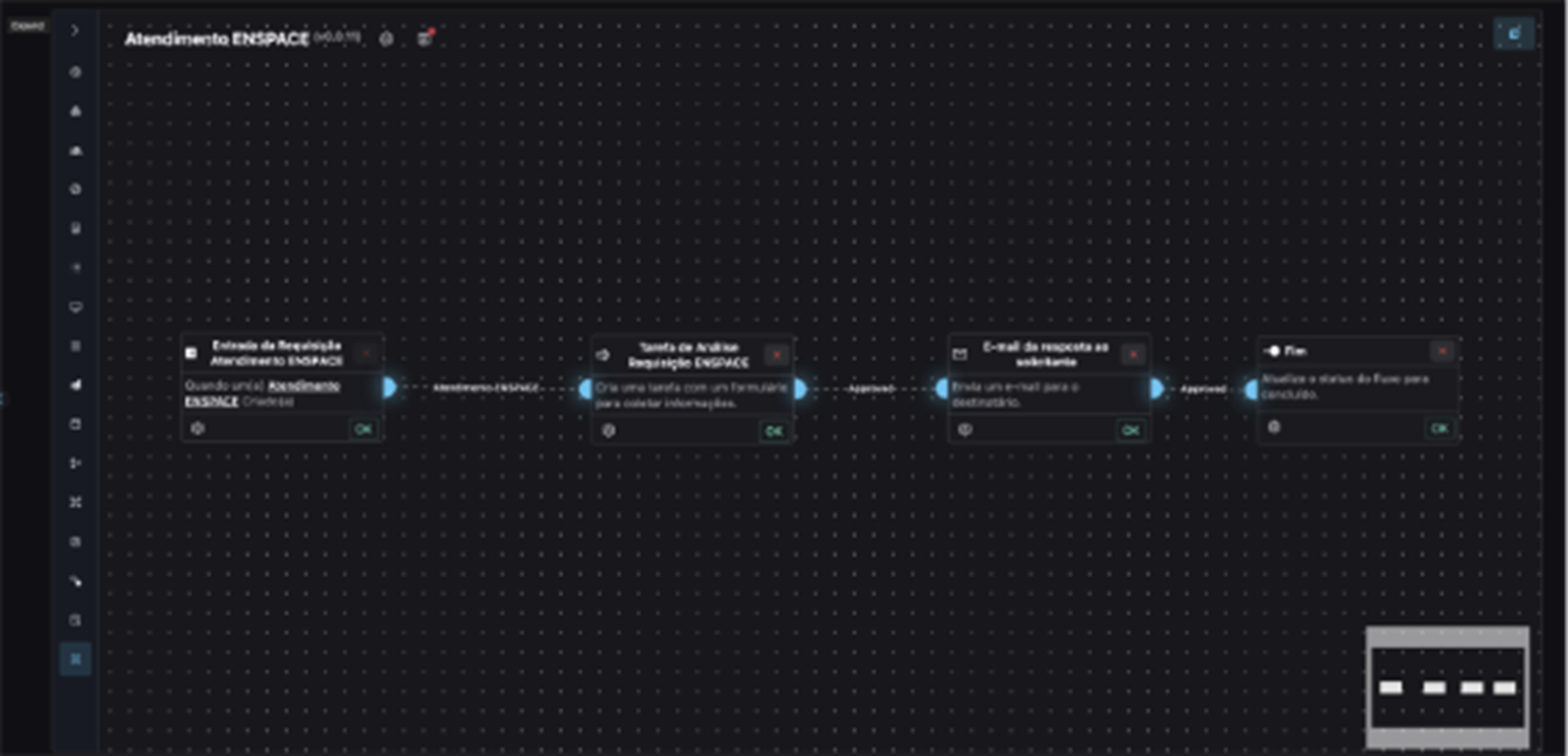
category: article
Why Choose ENSPACE?
Companies that implement ENSPACE notice immediate benefits:
✅ Reduction of human errors
✅ Less time spent on repetitive tasks
✅ Full visibility over process progress
✅ Standardization and compliance
category: article
Before and After ENSPACE
| Criterion | Before | After |
|---|---|---|
| Request Submission | Emails, spreadsheets | Centralized forms |
| Deadline Control | Manual | Automatic alerts |
| Tracking | Outdated | Real-time dashboard |
category: article
Practical Use Cases
HR – Employee Onboarding
- Registration form
- Document approval workflow
- Automatic contract generation
Finance – Accounts Payable
- Invoice registration
- Multi-level approval
- Integration with financial ERP
Legal – Contract Management
- Draft registration
- Version control
- Approval with audit log
- Secure cloud storage
- Native integration with main digital signing platforms
category: article
Integration with Your Systems
ENSPACE can be connected to your digital ecosystem through RESTful APIs.
Main integrations:
- ERPs: SAP, TOTVS, Oracle
- CRMs: Salesforce, Pipedrive
- Banking services
- Electronic signature services: DocuSign, Clicksign
category: article
How to Get Started?
1️⃣ Access the Portal
Request your access to the ENSPACE environment.
2️⃣ Modeling
Design your first process in the visual editor.
3️⃣ Publishing and Testing
Release the workflow to your team and test scenarios.
4️⃣ Monitoring and Improvement
Track indicators and continuously improve.
category: article
Why Does This Matter?
Companies automating their workflows with ENSPACE:
🔹 Increase operational efficiency between 30% and 50%
🔹 Reduce compliance risks
🔹 Improve employee experience
category: article If you want a faster, digital, and spreadsheet-free operation, ENSPACE is the platform that puts digital transformation in the palm of your hand — no coding needed.
ENSPACE API Integrations: Your Complete Guide to Connectivity and Efficiency
Learn how to integrate ENSPACE with ERPs, CRMs, and other systems using the REST API.
The 7 Biggest Mistakes When Automating Processes and How to Avoid Them
Avoid common pitfalls in process automation and learn best practices to ensure efficiency and success.